8 Min Read
Over the past 20 years, the way we work has changed a lot. Many jobs now involve sitting at a desk for hours, using a computer all day, and repeating the same tasks. These activities may seem harmless, but over time, they can strain your muscles, joints, and spine. Poor posture, repetitive movements, and improper workstation setup can create ergonomic problems. An ergonomic hazard occurs when the workspace does not match the body’s needs. Ergonomic problems, unlike sudden injuries, develop gradually and often go unnoticed until they become serious.
You might notice a stiff neck after work, a mild backache, or tingling in your wrist and think it will go away. But if these issues keep coming back, they could signal long-term musculoskeletal problems that need medical attention. In this blog, you’ll learn the meaning of workplace ergonomics, how hazards develop, what warning signs to look for, and simple steps to make any workplace safer.
Synopsis
- What Is Ergonomics in the Workplace?
- Understanding Ergonomic Hazards
- Why Working Ergonomically Matters for Orthopaedic Health
- Common Signs of an Ergonomic Problem
- Essential Ergonomic Tips for a Healthier Workspace
- Work Habits That Improve Ergonomic Safety
- When You Should See an Orthopaedic Specialist
- Conclusion
What Is Ergonomics in the Workplace?
Before discussing injuries, it’s important to understand workplace ergonomics. Ergonomics is the science of designing a workspace that helps maintain an appropriate body posture, makes daily tasks more comfortable, and reduces stress on the joints and muscles. Good workspace ergonomics means:
-
The spine stays naturally aligned.
-
Shoulders are relaxed, not raised.
-
When you type, your wrists stay straight.
-
The feet should rest flat on the floor or on a footrest.
-
The computer screen is at a comfortable distance from your eyes.
Poor office ergonomics can force your body to stay in an uncomfortable position for long periods. When ergonomics are considered while designing a workspace, it can reduce strain on workers’ bodies and make them feel more comfortable and productive.
Understanding Ergonomic Hazards
An ergonomic hazard is any workplace factor that forces the body to work harder than necessary. These problems often develop slowly and may go unnoticed at first. They usually occur due to repeated stress on muscles, joints, and tendons. Some common ergonomic issues are:
-
Sitting for a long time without adequate back support
-
A computer screen that is set too high or too low
-
Continuous typing without wrist support
-
Lifting heavy objects with poor technique
-
Standing for a long time without foot support
If these conditions last for months or years, they can cause musculoskeletal disorders that affect the neck, shoulders, spine, wrists, and knees. Recognising early signs of an ergonomic hazard can help fix them before they turn into long-term problems.
Why Working Ergonomically Matters for Orthopaedic Health
The body is built for movement, not for remaining in one position for hours at a time. When posture is poor or movement is limited, some muscles become overworked while others weaken. That imbalance can affect the joints, tendons, and supporting structures around them. Poor ergonomics in the workplace can contribute to several orthopaedic problems:
-
Neck strain: Looking down at a screen or leaning forward for long periods increases load on the cervical spine and the muscles that support it.
-
Lower back pain: Sitting without lumbar support can increase pressure on the lower spine and strain the surrounding muscles.
-
Carpal tunnel syndrome: Repetitive wrist use, especially when the wrist is bent or unsupported, can increase pressure on the median nerve.
-
Shoulder tendinitis: Raised shoulders or poorly positioned armrests can irritate the tendons around the shoulder.
-
Repetitive strain injuries: Repeated movements without enough rest can inflame tendons and surrounding soft tissues.
Most of these problems do not appear overnight. They usually build gradually, which is why good ergonomic safety practices are so important.
Common Signs of an Ergonomic Problem
Ergonomic injuries usually don’t happen all at once. Instead, they get worse as your body deals with the same stress over and over.
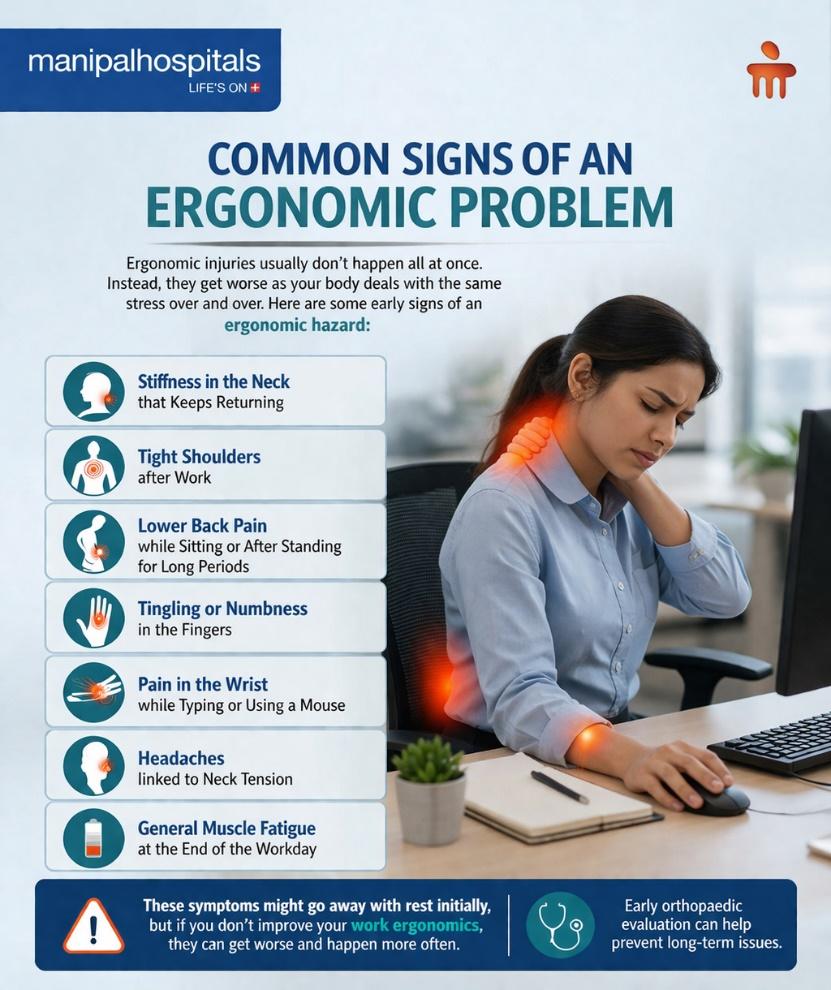
Here are some early signs of an ergonomic hazard:
-
Stiffness in the neck that keeps returning
-
Tight shoulders after work
-
Lower back pain while sitting or after standing for long periods
-
Tingling or numbness in the fingers
-
Pain in the wrist while typing or using a mouse
-
Headaches linked to neck tension
-
General muscle fatigue at the end of the workday
These symptoms might go away with rest initially, but if you don’t improve your work ergonomics, they can get worse and happen more often. Early orthopaedic evaluation can help prevent long-term issues.
Essential Ergonomic Tips for a Healthier Workspace
Good ergonomics lowers physical strain at your desk. Even small changes to your workstation can make your workplace safer and more comfortable. Here are some important rules for keeping office workers safe while they work.
Chair Support
A well-designed chair can reduce pressure on the lower back and help the body maintain a more natural seated posture. Look for a chair with:
-
Adjustable height
-
Support for the lower back
-
Armrests to ease shoulder strain
-
Enough depth in the seat
Screen Position
How you set up your monitor has a big impact on your neck position. For the best ergonomics at work:
-
The top of the monitor should be at or slightly below eye level.
-
The monitor should be about the same distance away as your arm.
-
The screen should be directly in front of you.
-
These adjustments help prevent your neck from bending too far.
Keyboard and Mouse Placement
Putting input devices in the right place helps keep your wrists in a neutral position, thus reducing pressure.
-
Put the keyboard at the level of your elbows.
-
Keep your wrists straight when you type.
-
Put the mouse close to the keyboard.
Foot Support
When you’re sitting, make sure your feet rest flat on the floor. Use a footrest if your chair is too high and your feet cannot reach the floor. It may seem like a small addition to your workspace, but it can make a big difference in your comfort and posture, especially if you have a job that requires long sitting hours.
Work Habits That Improve Ergonomic Safety
A good workstation is only part of the picture. Daily habits matter just as much, especially in jobs that involve long hours of desk work. A few useful habits include:
-
Taking short breaks to stand, stretch, or change posture
-
Avoiding the same position for too long
-
Adjusting the workstation when pain or discomfort starts
-
Alternating tasks where possible to reduce repeated strain
-
Staying aware of posture throughout the day, especially during heavy workloads
These habits help reduce the buildup of fatigue that often contributes to an ergonomic hazard.
When You Should See an Orthopaedic Specialist
You should not ignore work-related musculoskeletal problems, especially if they last for a long time. If you are facing any of the following issues, you should see a doctor:
-
Pain in the neck or back that lasts for weeks
-
Tingling or numbness in the wrists
-
Pain while moving the shoulders
-
No improvement with posture change or rest
An orthopaedic specialist will assess your posture, muscle strength, and joint health to identify pain causes. They may also recommend imaging tests or physiotherapy.
Conclusion
Creating a safe workplace goes beyond preventing accidents. It also involves reducing the strain caused by daily work activities. If you don’t address poor ergonomics at work, it can lead to serious muscle and joint problems. By understanding ergonomics and its risks, you can improve posture, adjust your workstation, and build healthier work habits. By making ergonomics a priority, employees can reduce their risk of chronic pain and stay both productive and healthy. If you still have pain after making changes at work, an orthopaedic specialist at Manipal Hospital, Old Airport Road, Bangalore, can help find the cause and suggest treatment.
FAQ's
Yes, long laptop use can create an ergonomic hazard because the screen, keyboard, and trackpad are all attached in one fixed position. This often forces the neck to bend forward and the wrists to work in a less natural posture. Using an external keyboard, mouse, and laptop stand can improve ergonomics in the workplace.
No. Standing desks reduce sitting, but standing too long strains your legs and back. Alternating sitting and standing can promote better ergonomics.
Yes. Poor workplace ergonomics can disrupt sleep patterns. Persistent neck, shoulder, or back pain from an ergonomic hazard can make restful sleep difficult.
Ergonomic chairs help support your spine, lower pressure on your back, and make it easier to sit with good posture for long periods.
Yes. Doing simple stretches during breaks prevents your muscles from getting stiff, ensures proper blood circulation, and encourages better posture. This can help prevent long-term muscle and joint problems.
Share this article on: